Used iPhone in Bangladesh: 10 Checks Before Buying

Buying a used iPhone in Bangladesh can save you a significant amount of money, especially with new gadget prices going up. But the second-hand market is a minefield. Stolen devices, phones with swapped parts, fake displays—one missed check can turn a good deal into an expensive mistake.
Most buyers look at the exterior and the battery percentage. But to protect your money, you need to dig deeper. Here are the 10 Must-Do Checks before you give away your cash for a used iPhone in Bangladesh.

Buying a second-hand phone can save money, but checking the device carefully is important before making a payment. If you are buying a used phone in Bangladesh, read our guide on used phone scams in Bangladesh to learn about common risks and how to avoid them.
1. Check IMEI Status (BTRC/NEIR)
When buying a used iPhone in Bangladesh, verify the device’s IMEI status through the official BTRC NEIR portal before completing the purchase. The government has activated the NEIR system to block illegal phones. This is the most important check for the buyers from Bangladesh. NEIR system activated to block illegal phones: Govt The IMEI is not registered . Your phone will eventually lose network connectivity .
How to check:
- On your iPhone dial *#06# to get the 15 digit IMEI. (If your phone has both a physical SIM and an eSIM, check both IMEI numbers.)
- Open your messaging application and send a message KYD [space] [15 digits IMEI].
- Text 16002**
- You will get the notification about the device validity or not registered.
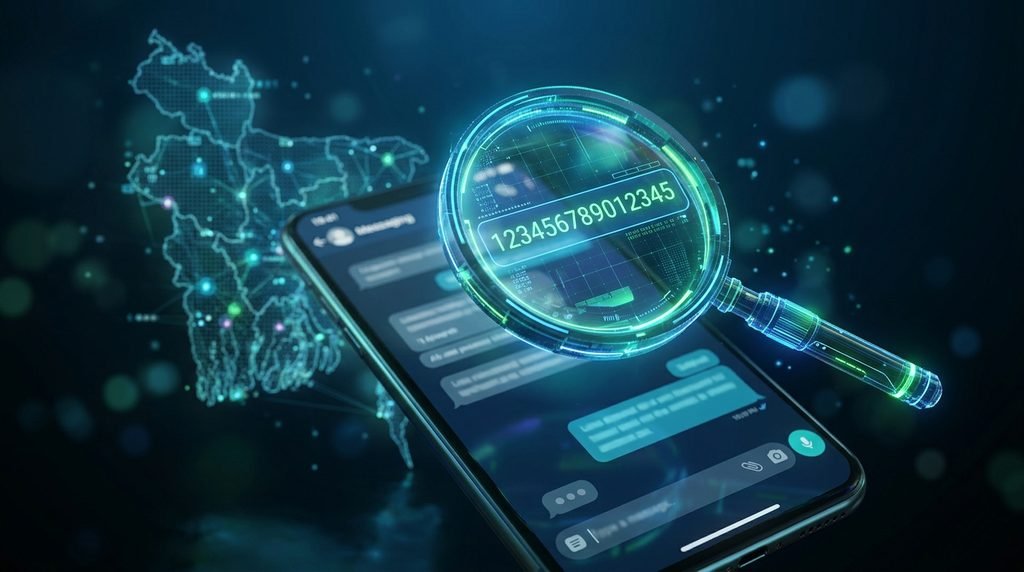
How to use the outcome: Do not pay for the phone until you know and understand the IMEI status. Not Registered doesn’t mean the phone is stolen. According to the official BTRC NEIR portal, the database may not have the new phone yet. Check status on official portal before taking decision.
2. Make sure Activation Lock is OFF
Apple calls its anti-theft feature Activation Lock. If the phone is still linked to the seller’s iCloud account, the phone is locked to the owner. You can’t do anything with or around it.
How to verify:
Turn on iPhone . If you see the “Hello” screen (the setup screen) your phone has been wiped. Go through the setup process until it asks you for your Apple ID. If it asks you for the Apple ID and password of the previous owner don’t buy it.
If the phone is unlocked and you see the Home screen, ask the seller to sign out of their Apple ID and erase the device right in front of you. Set up the device yourself so you are not asked for the previous owners account. Never use a phone that’s still signed in to someone else’s account.
3. Check Battery Health (& Part History)
Battery degradation is to be expected, but knowing how much life is left is important.
How to check:
- Go to Settings > Battery > Battery Health & Charging
- Check Maximum Capacity. 80% is a useful warning that the battery may need replacing soon but it’s a guideline, not a hard rule.
- Important: Navigate to Settings > General > About. Scroll down to Service History & Parts. If the battery or display has been replaced, you will see a message here.
Important note regarding “Unknown Part”: Apple says there are a number of reasons other than non-genuine parts why the “Unknown Part” message can show up. It could also mean that the part is not working as intended, was not installed correctly or could not be verified. Not every iPhone model shows the entire repair history, either. An ‘Unknown Part’ is a reason to ask questions, not automatically prove that the component is fake.
4. Inspect the Display for Replacement
The most common problem with second-hand iPhones is the replacement of the display. A cheap aftermarket screen will feel different, drain your battery faster, and often lack features like True Tone.
To Confirm:
True Tone Open Settings > Display & Brightness. No “True Tone” switch or doesn’t work? Possibly a display replacement or repair problem. Apple warns that a non-genuine display may not function with True Tone. But True Tone isn’t the final word on a replacement screen, so keep that in mind along with the model’s compatibility and repair history.
- Visual Test: Open a pure white and a pure black image. Look for dead pixels, uneven brightness, or light bleeding around the edges.
- Physical Test: Drag your finger along the edge of the screen. If you notice any gaps or loose seams or excessive glue, the phone has been opened.
5. Face ID Well Test
Face ID is a complicated piece of hardware. If it breaks it is expensive to repair.
To confirm: Navigate to Settings > Face ID & Passcode and attempt to set up a new Face ID. If you get an error or setup fails when trying to set up Face ID, there might be a problem with the TrueDepth camera system, a previous repair, or some other hardware or software issue. Don’t buy the phone unless the problem is checked thoroughly. Don’t take a vendor’s word for it that “it works sometimes”; test it yourself many times.
6. Verify the Model Number
Sometimes sellers misdescribe the model or sell a refurbished unit as new.
How to check: Go to Settings > General > About and look at the Model Number. Press the model number for the hardware model identifier (this will usually start with the letter “A”).
Some guides suggest that the M/F/N/P prefixes are an indication of the phone’s history (M = new, F=refurbished, N=replacement, P=personalized). However, the letters alone are not conclusive evidence of the phone’s history or authenticity. Check its authenticity using the serial number at Apple’s official coverage page and with Apple’s pre-owned iPhone guide.

7. Check Warranty Status
When Buying a Used iPhone in Bangladesh check the warranty status. Used iPhones might still be covered by Apple warranty or AppleCare.
How to test:
Enter your serial number at Apple Check Coverage . It will tell you if the device is still under warranty and when it expires. “If the seller says it’s got warranty, check it yourself. Please keep in mind that coverage does not mean the phone is genuine or that it has not been stolen or repaired.
8. Test All Switches and Ports
Small hardware failures are annoying and costly.
How to test:
- Buttons: Power button and the Volume up/down and the silent switch. They have to click hard and they have to respond immediately.
- Charging Port: Plug in a cable. Ensure it charges and is recognized by a computer.
- Speakers/Microphone: Play a song, record a voice memo, and test the earpiece on a call.
9. Test the Cameras When Buying a Used iPhone in Bangladesh
Repairing a camera is very expensive. especially on newer cameras with multiple lenses.
How to check:
Launch the Camera app and toggle through all the lenses (Ultra Wide, Wide, Telephoto). Check for any blurry spots, shaking (OIS failure) or dust inside the lens. Do a short video to test the microphone too.
10. Verify the Seller and Keep Records
Be cautious when purchasing from individuals on Facebook Marketplace or locally.
- Be wary of too-good-to-be-true deals. If prices are extremely low, it usually means there is some stolen property or some hidden defect.
- Ask for the original box and receipt if you can.
- Keep a record of the seller’s contact information if you need it later. If you collect a copy of their ID, store it securely and handle their personal information responsibly and with their consent.
Frequently Asked Questions
How to Check If a Used iPhone Is Stolen?
It’s an iOS feature that tells you if the battery, display or camera was replaced. A message reading “Unknown Part” may indicate the part is not genuine, has not been fully installed, or could not be verified.
What is parts and service history?
It is an iOS feature that provides information about whether the battery, display, or camera was replaced. An “Unknown Part” message can mean a non-genuine part, an incomplete installation, or a part that could not be verified.
Buying an iPhone with “Unknown Part” history: is it safe?
A red flag to investigate. Ask the seller for details of the fix and maybe get the phone checked by a trusted technician before you buy.
Final Thoughts
Before purchasing a used iPhone in Bangladesh, check the IMEI, Activation Lock, battery health, display, and repair history to make a more informed decision.
If the seller won’t allow you to check the IMEI, Activation Lock or Parts History, that’s a major red flag. Don’t pay until you know the status of the device.