Public Wi-Fi Safety: 7 Things You Should Know

Public Wi-Fi safety is becoming more important as free internet is now common in airports, hotels, restaurants, shopping malls, and cafes. Free networks are convenient, but an unknown Wi-Fi connection can be a security risk if you’re reckless with it.
The biggest problem is that people tend to connect to a network because the name looks familiar. There are a few simple habits that can help reduce unnecessary risks and protect your accounts, personal information and online activity.
7 Tips When Using Public Wi-Fi

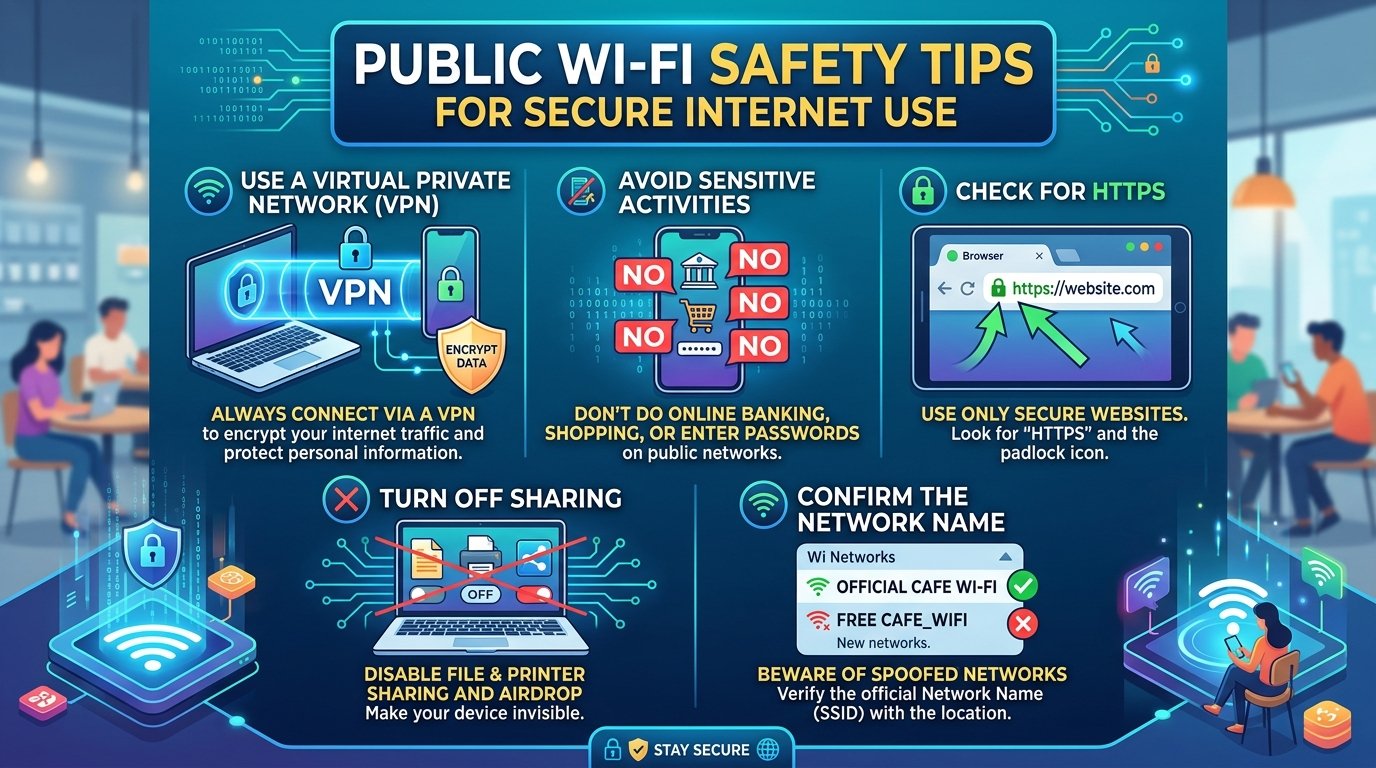
1. Check the Wi-Fi name before connecting.
Don’t assume the first network with a familiar name is legitimate.
A fake hotspot could be set up with a name very similar to the real network of the hotel, airport or cafe. Login Instructions – Ask staff and connect to the correct network name
For instance, if there’s a legitimate hotel network called “Hotel_Free_WiFi,” don’t connect to a similarly named network without verifying first.
The simple rule: Check the network before you plug in.
2. Rely on mobile data for important tasks
If you only need to check something quickly, using mobile data may be a better option than connecting to public Wi-Fi. If you just want to check in quickly, mobile data is probably better than hooking up to a public network of unknown quality.
This is particularly interesting for:
Online banking
Shopping and payments
Systems of work
Jobs Password
Accessing Confidential Documents
You can use your phone’s data connection or personal hotspot to reduce your reliance on an unknown Wi-Fi network if you have mobile data.
3. A VPN Can Provide Extra Security
If you have to use public Wi-Fi, a good VPN can add an extra layer of protection. It then encrypts the link between your computer and the VPN server. This makes it a lot harder for others on the same network to see what you are doing online.
But a VPN isn’t a magic security bullet.
Before installing a VPN, check its reputation, its permissions, its privacy policy and if it shares user information with third parties. A poor VPN can also have its own privacy issues.
4. Check for HTTPS Before Giving Info
Before entering a password, payment details or other personal information, check the website address to ensure it uses HTTPS.
HTTPS encrypts the communication between your browser and the site. But that padlock or HTTPS doesn’t prove a website is real. Fake sites use HTTPS too.
So check the full web address carefully, especially before you give sensitive info.
5. No sensitive banking or stuff like that.
Public Wi-Fi may be okay to use for normal browsing, reading news, or checking general information. Sensitive activities are different.
Do not use public networks to:
Online Banking
Features of a Credit Card
Major work systems
Managing Sensitive Accounts
Typing in very confidential info
If you are facing trouble in doing one of these tasks and you are desperate, then switching to mobile data is an easy alternative.
6. Turn Off Auto-Connect and File Sharing
Your device can remember Wi-Fi networks you have connected to in the past and connect to them automatically. This can be helpful, but it can also save unwanted public networks and make unwanted connections unnecessarily.
If you’re on a public network, you might want to remove it from saved networks or disable auto connect when appropriate.
If you are on a public Wi-Fi network, turn off any unnecessary file and network sharing.
These little settings can limit the number of ways that your device can be exposed to a strange network.
7. Looking After Your Device When You Go Away
When you disconnect from Wi-Fi, don’t break your security regimen
After using a public network:
If you don’t need the network anymore just forget it
Log out of important accounts
Update software on your device.
If possible, use two-factor authentication
Turn off Wi-Fi and Bluetooth when not in use
These habits help even when you’re not on public Wi-Fi. Old software, unnecessary connections can increase security risks.
Why Public Wi-Fi Security Matters
Free Wi-Fi itself is not dangerous. The problem is you have less control of an unknown network.
Most users have no clue who is running the network, how it is configured, or what other devices are on the network. Such sensitive activities require more caution.
The good news is you don’t have to be a tech genius to protect yourself. In many cases, checking the network, doing sensitive work with mobile data, inspecting website addresses and updating your device are big factors.
My View: Convenience Must Come After Security
Public Wi-Fi is useful when you have limited or no mobile data. But the risk of compromising banking details, passwords or confidential work isn’t worth saving a little bit of mobile data.
The best way is not to avoid all public Wi-Fi networks. Learn when to use one, and when another connection is better instead.
One simple rule to remember is.
Free Wi-Fi? Check ahead. Delicate work? Use mobile data.